


MrThunderwing
-
Compteur de contenus
426 -
Inscription
-
Dernière visite
-
Jours gagnés
10
Messages posté(e)s par MrThunderwing
-
-
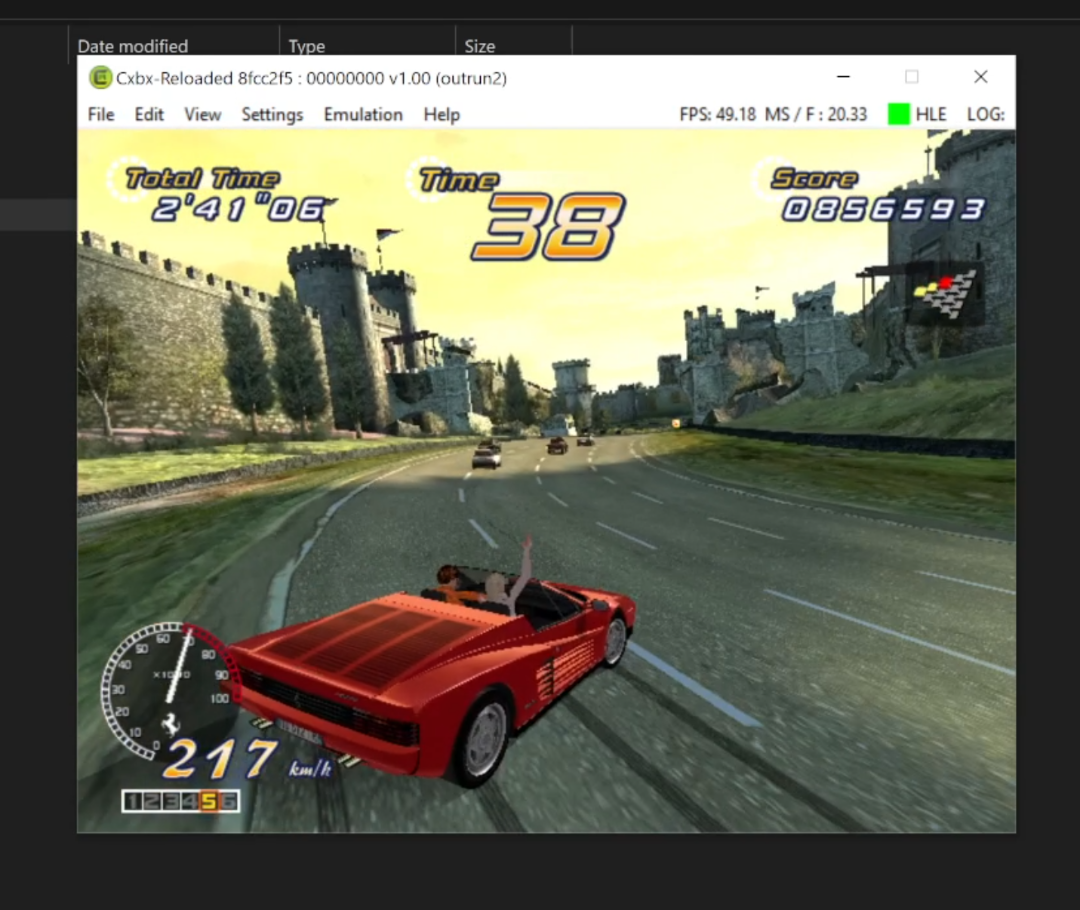
Yeah, I'd previously set up Xemu back when I was still on Windows 7. It was a pain in the arse to configure and get working. The Beta version of OR2 ran with perfect graphics on it, but chugged away at about 10 fps for me (my PC's ancient) and it would always hang at the first stage checkpoint. CXBXR played the game with buggy graphics, but a much better frame rate, anything between 30-50fps. I lost the Xemu config I had setup when I had to destructively reinstall a new OS after a power cut screwed my PC up and I couldn't be bothered trying to get it running again.
It's no biggie really, I've got lots of other ways to play the other versions of Outrun 2 and SP perfectly (both legit PC and console games and Teknoparrot) I'm just always interested in keeping an eye on how things are developing with the original arcade Chihiro version, just because it's got a unique playable Ferrari Testarossa that was different in its design to every other arcade and home versions of Outrun 2 or SP since. It makes the original Chihiro Outrun a unique bit of OutRun history.0 -
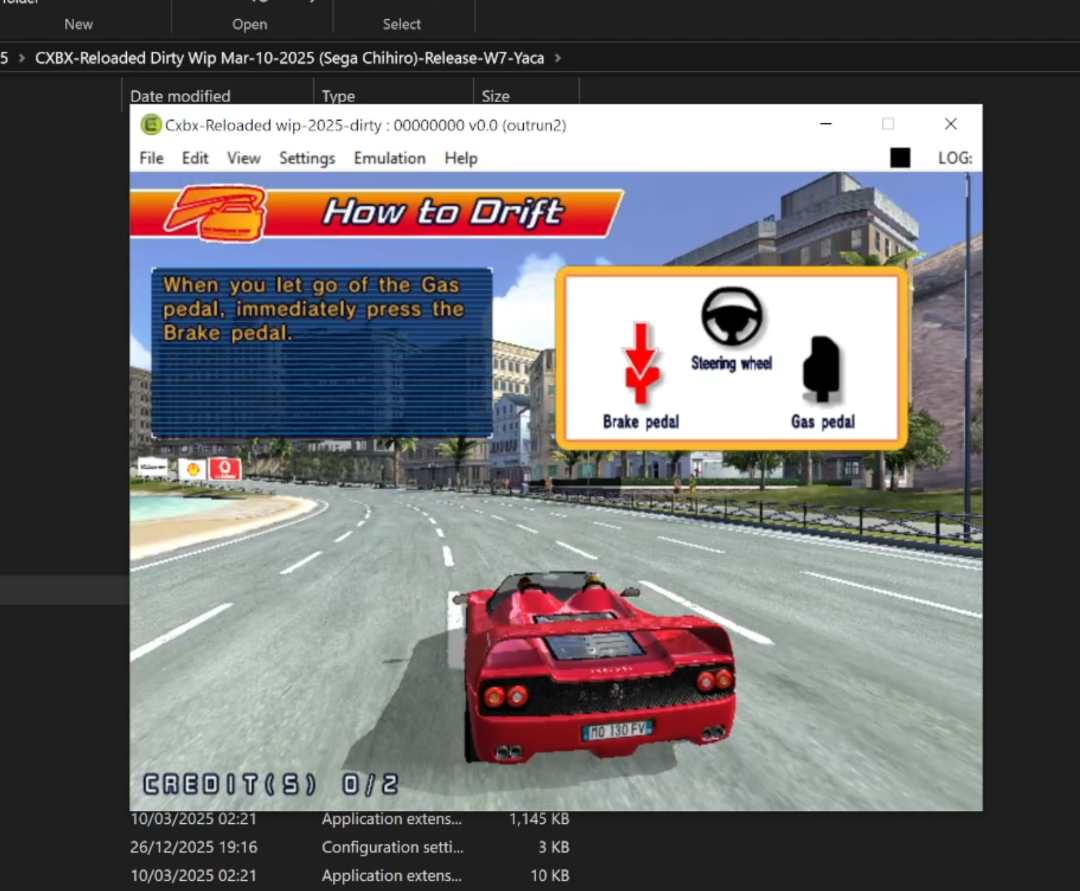
Hrrrmm, well I think I might've fixed Outrun 2 - I copied the 'Boot ID' from Outrun 2 SP into the Outrun 2 folder and that got rid of the unhandled exception error and allowed me to get in game, where I was able to then access the test menu change it to upright and then exit and the game started up OK, so hooray. Haven't actually tried configuring any controls (and it crashes after the attract mode), but nice to see that those weird black spiky graphical artefacts from previous CXBXR versions have gone).
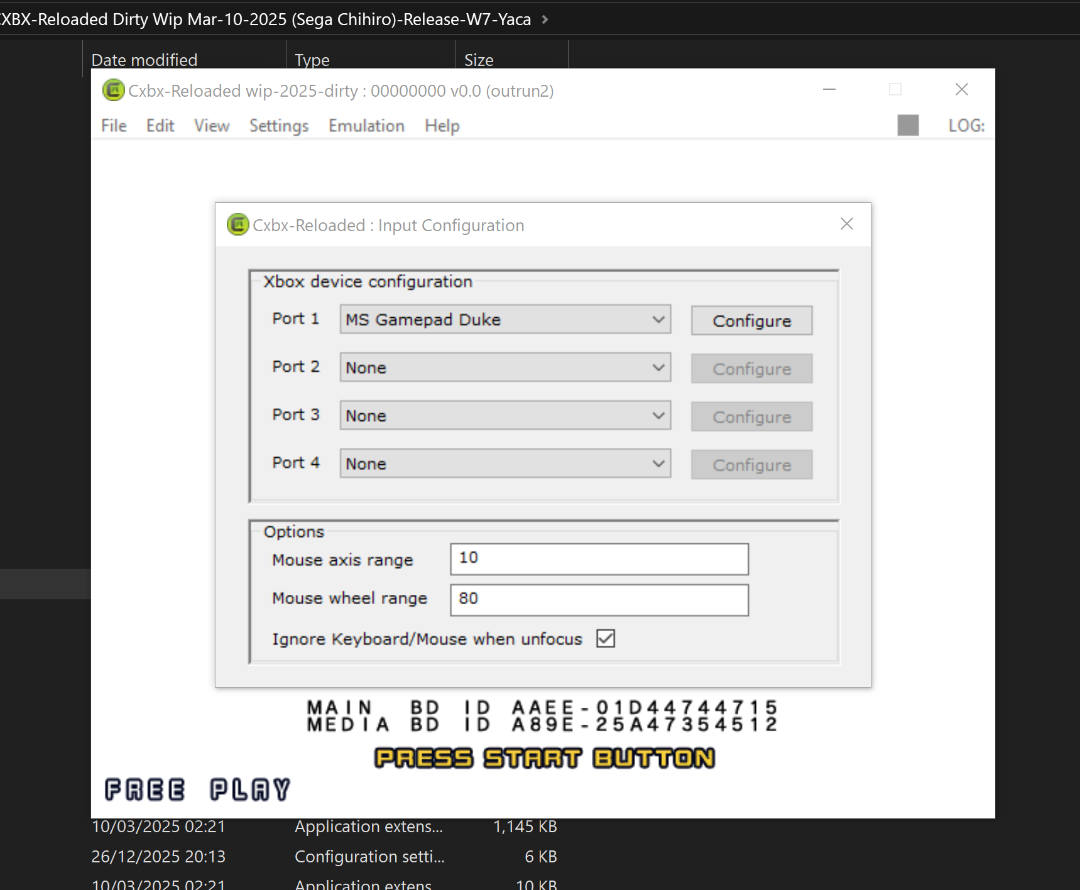
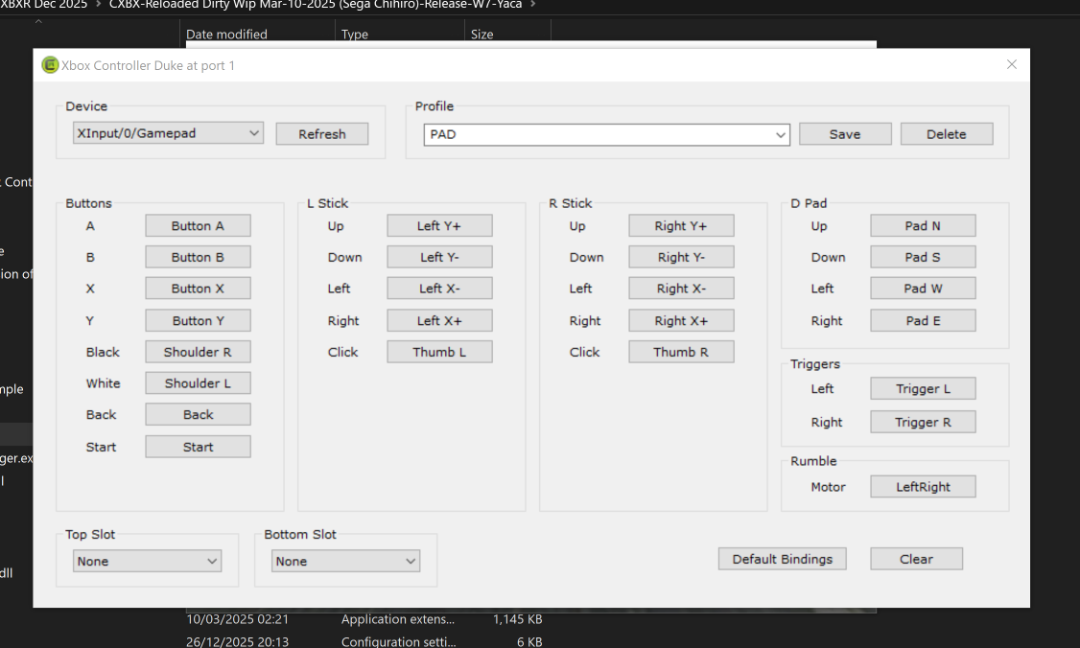
Edit: Nope, cannot get in game at all. I've set the game to FREEPLAY, I've configured my Xbox 360 pad (same as I used to for OutRun 2 Beta in the old CXBXRs), but nothing I press on the pad (or keyboard) gets me in game. Any clue as to what I'm doing wrong? I can't get in game in the Beta version either (once I've set it to Freeplay).
Edit 2: Okay, tried this again with the Chihiro-DS_1.0 CXBXR, and was able to get in game and play using the keyboard, but none of the pad bindings worked. Despite the attract mode running full speed and there being no black spiky bits, in game they came back and performance was terrible, soooo think I'm going to give up there...

Edit 3: Okay, this is very interesting. I went back to using an old version of CXBXR from 2022 for OutRun 2 Beta, which was the last version I got half decent performance from (the frame rate varies between 30 -50fps) but still had the black spiky graphical artefact things. I really just wanted to check my pad inputs still worked.
I had 2 games. On the second I decided to try hippopippo's CPU affinity lag fix a try from the task manager. All 4 cores on my CPU were selected, so I changed it to just 0 and 1. It didn't really change the speed, but one very cool thing it did was get rid of those black spiky graphical artefact things. So bonus

0 -
On 6/27/2025 at 6:57 AM, hippopippo said:
inputs are same for every game : 1 start 5 coin arrows-q-w-e-a-s-d to move and F1 for service / bios and select
outrun 2 both work fine (don't use wangan build)
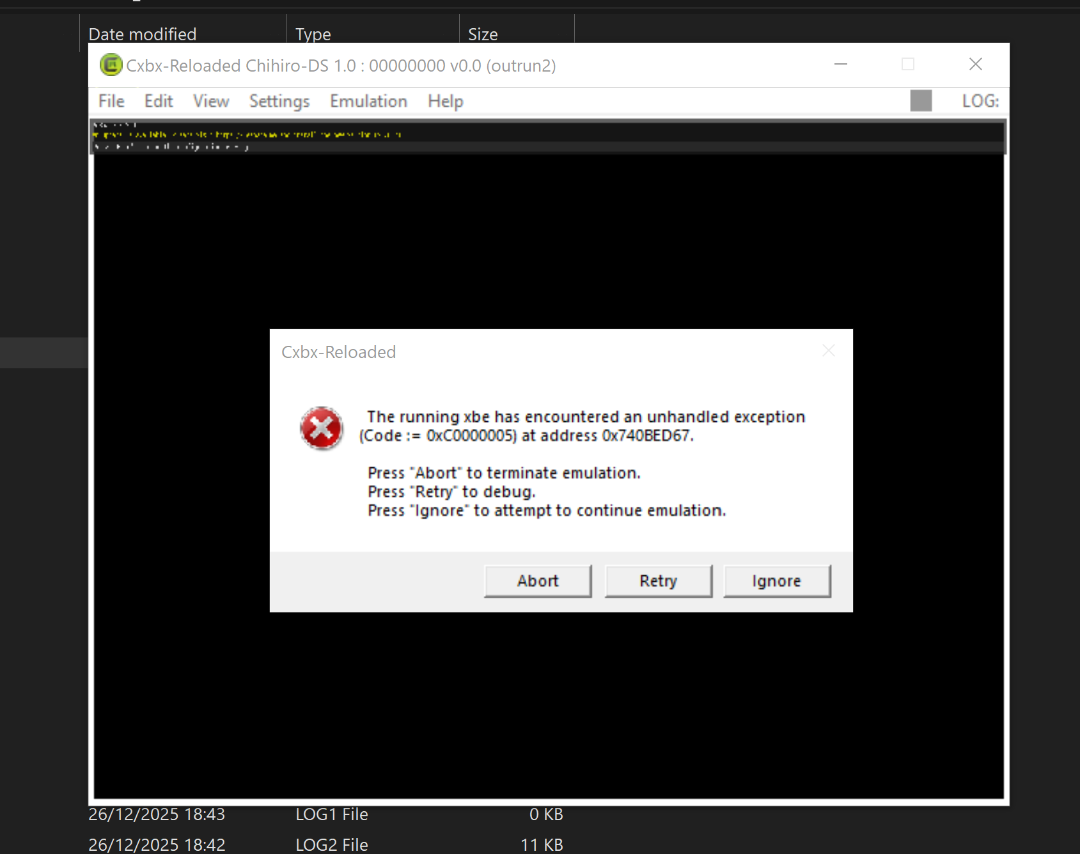
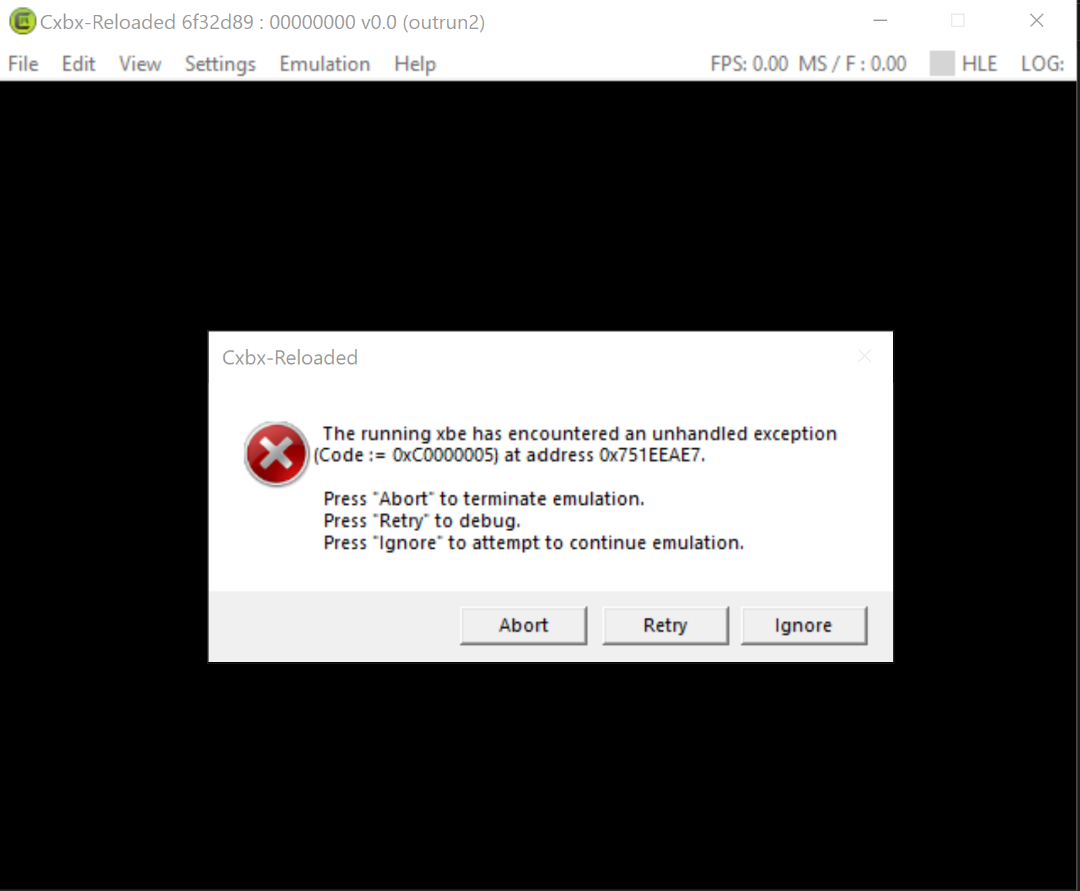
I can't get the regular (not beta) version of OutRun 2 or Outrun 2 SP to work. I've been backwards and forwards through this thread multiple times to see if there's something obvious I'm missing, but if I am, it ain't jumping out at me. The last version of CXBXR I downloaded was the one from March that had HOTD3 and all the other new stuff working, including one of the WMTMT games, so I'm guessing it's not one that'll work with OR2 based on the above comment. I cannot see a "non Wangan" build anywhere for download. I found another French forum and downloaded Chihiro-DS_1.0 CXBXR, but I get the same exact error.
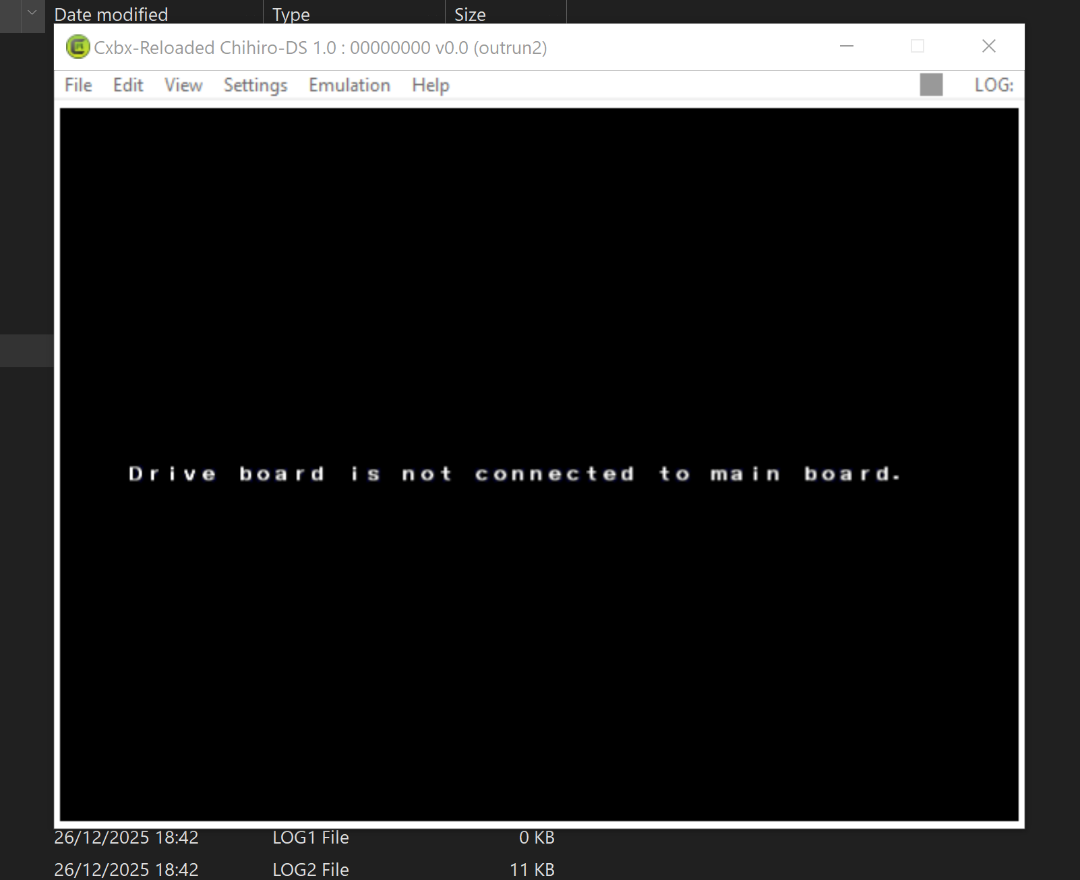
OR2 won't even start and throws up an unhandled exception error.OR2 SP boots but says 'drive board is not connected to main board'. I go into the test mode and change it from 'standard' to 'upright' and exit... and get the exact same error. If I go back into the test menu it's changed itself back to standard, so I'm not sure if something's not saving properly there.
I get the same errors if I use the build Justin linked to in the comment above mine.
Can someone either point me in the direction of a CXBXR build that'll load Outrun 2 and Outrun 2 SP or either share one that they have that works?
Thanks in advance!
Edited: OK looked a bit harder in the previous threads and found the answer to OR2SP - it doesn't work due to an EEPROM issue.
0 -
Paprium, the controversial beat-em-up game published by Watermelon Development for the Sega Megadrive/Genesis, is now fully emulated in Retroarch using a special genesis_plus_gx_libretro core. Controversial as the company was seemingly only capable of producing a handful of copies, leaving loads of unhappy customers still waiting on a game they paid for almost a decade ago, so at least people get to give it a go now. Paprium has proven difficult to emulate due to its alleged "custom hardware" – until now.
Download Retroarch if you haven't already got it. Go to the Retroarch cores folder and replace the Genesis_plus_gx_libretro.dll with the one included with the game in the ZIP folder. (backup the standard core if you want to keep it for anything)
After that just load Genesis Plus GX Core then find and load the game .bin.To play this on Retroarch you have to use the modified genesis plus core, or the game will play a fake low res "mockup". To get past the mockup, the very first time you play, you need to let the enemy players beat you beat you in that part, so your character properly dies. If you restart after that, you should be good and the full game should load.
Papriu [Megadrive] : Free Download, Borrow, and Streaming : Internet Archive
Alternative download
https://www.mediafire.com/file/97t36xhz4i7nyez/Paprium.7z/file
Quick gameplay video:7 -
On 3/10/2025 at 9:40 AM, hippopippo said:
This is the first release of the Cxbx-Reloaded wip version compiled (thanks to the great work of axylol and all those who are following the project).
All the resources are public and open-source so available for anyone who wants to try their hand at Chihiro emulation.
Given the difficulties in compiling this version and the many debugging errors that can result from the compiler (if not configured properly), I have created two end-user versions: Release & Debug.
Release version should run with better fps, while the Debug should fix any crash and memory allocation issues.
Finally, I remind you that this version is wip and constantly updated, so expect any compatibility issues gpu/cpu/memory/OS and so on based on your hardware.
Now have fun trying out some Chihiro games and go for a run with Wmmt2.
Service menu can be activated by pressing the F1 and F2 keys to move. Each game has its own game menu and calibration is recommended for all racing games for joypad & keyboard.
note : fixed Debug
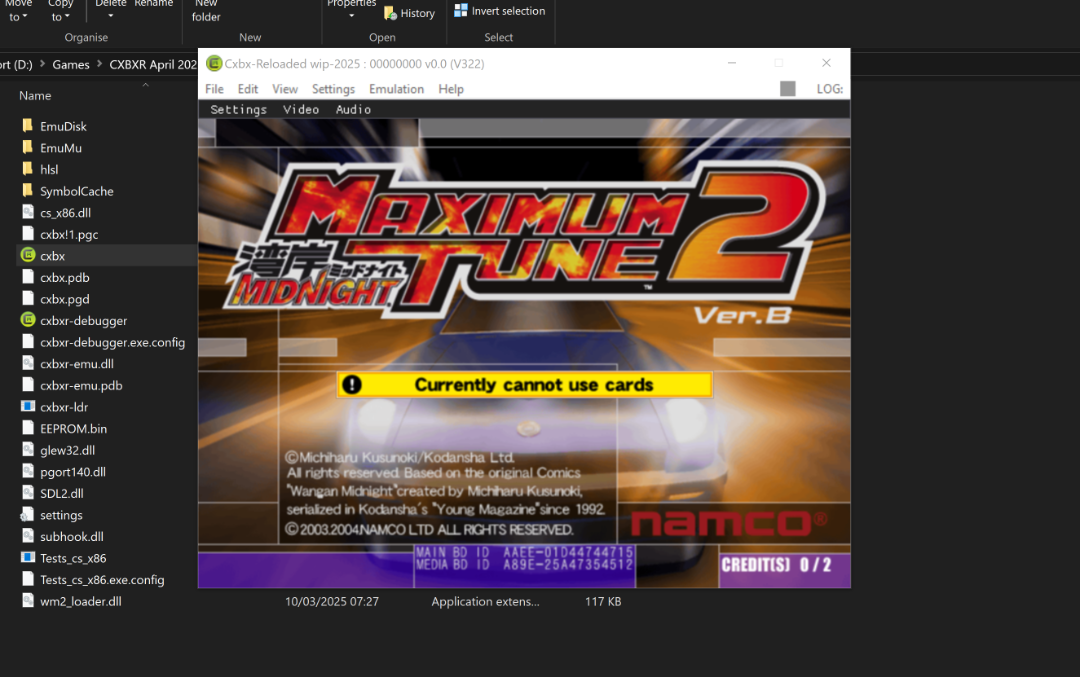
Hot Damn, this totally passed me by when it was first posted. That's so cool that people are still working on getting the Chihiro games working. Really awesome to see HOTD3, Ghost Squad and Ollie King all booting up now (and OutRun 2 Beta working again).
Edited: And a little finagling later WMMT2 as well! Thanks @hippopippo
 0
0 -
That's interesting to know about the 'Boot ID' thing, thanks, that's got Virtua Cop 3 working again at least, but OutRun 2 Beta now throws up a different error message. Unfortunately, my PC is way too old and creaky for Xemu (I had setup it up, prior to having to do a full destructive Operating System restore, and everything ran in slow mo. It was tricky enough to setup I never bothered trying again after I fixed my PC and got it working again). Like I mentioned previously though, no biggie, I've tons of other ways of playing different versions of OutRun2. I just like to check in on the Chihiro version from time-to-time because of it's completely unique Testarossa design compared to all the other games.
0 -
They were (but not perfectly), but not anymore. No idea how long ago an update broke them (them being OutRun 2 Beta and Virtua Cop 3). CXBXR used to just bypass the bios screen and launch straight into both games. Now the games won't launch without the bios, but get stuck after booting.
Edit: Hrrrm, the main developer of CXBXR doesn't seem to have updated his Patreon page since 2023. Looks like this is likely never going to be fixed. Best keep hold of your old versions of it!
0 -
On 12/19/2024 at 4:15 PM, hippopippo said:
unpack chihiro bios inside --> \EmuDisk\chihiro\
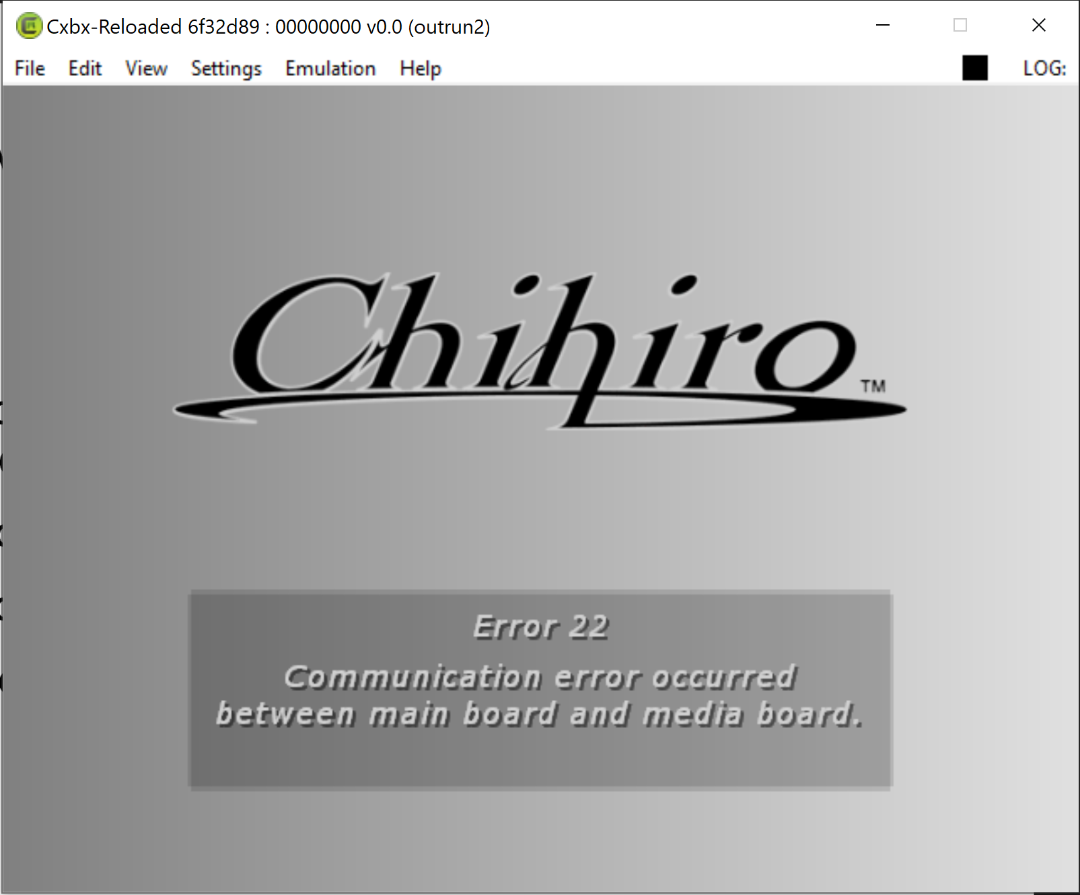
I haven't tried any new versions of CXBXR in years, just downloaded the latest version and was getting the error message about no chihiro media board but fixed it with the advice above (thanks for that!). Now I'm getting an "Error 22 Communication error occurred between main board and media board" error. In old versions it would just load straight into the game without issues. Anyone encountered this and found a fix? The Googles are revealing nothing.
(No biggie if not, I just wanted to see if Outrun 2 worked on it now without the last couple of graphical bugs it had).
2 -
12 hours ago, ducon2016 said:
You don't need those if you play on a TV, I recommend using my patch. Loads faster, less files, no crashes, and less weird AHK random issues.
Thanks dude. I realised after I posted this you could just get PacMan Museum Plus on the PS4 for dirt cheap now, which has got tons more games and Battle Royale doesn't have the big border on it (plus it's less of a faff to get 4 controllers working than using x360ce), so I just bought that. Thanks for the reply though!
0 -
On 11/17/2019 at 2:51 PM, sky2310 said:
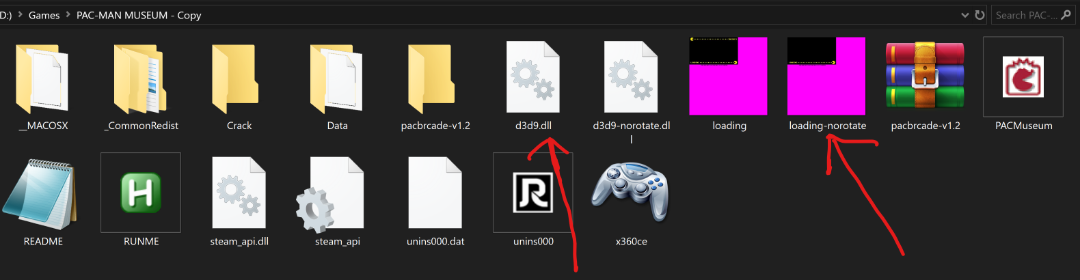
Non-rotated version (aka Deluxe (upright) version):
- rename d3d9-norotate.dll to d3d9.dll
- rename loading-norotate.png to loading.png
Hey gang, I'm a bit confused by this instruction above. I'm playing on a big screen TV not a cocktail table, so I want the non rotated version, but the instructions are saying to rename these .dll files to the same name as .dll files that already exist in the folder when I unpacked the RAR file. If I remove either .dll file the game just loads normally, rather than straight into Battle Royale. If I try to rename d3d9-norotate.dll to d3d9.dll, it wants to make a copy called d3d9.dll (2). Does anyone know what you need to do to un rotate it, please?
0 -
Absolutely loved this game on PS2 with my Guncon 2. I never played it in the arcades (although I think there was one at a retro arcade I went to not long ago, but I just didn't get around to playing it). Is there much difference between the arcade and PS2 game? The graphics would probably be on a par on the home system with the arcade by this point?
0 -
You absolute ruddy legend!!! That's fixed it for me. My old version of the game read the save from a totally different location directly on the C drive, I hadn't noticed the "Save" folder in the actual game folder. Stuck the bin file in there and all is now working, DLCs and everything. thanks for you help with this mate, it's really greatly appreciated
1 -
Thanks, I'm trying some experiments at the moment. Can you let me know what your path to the save file is please? If I can match up the steam folder number in C:\ProgramData\Steam\ I might be able to bypass the Saving error that way.
0 -
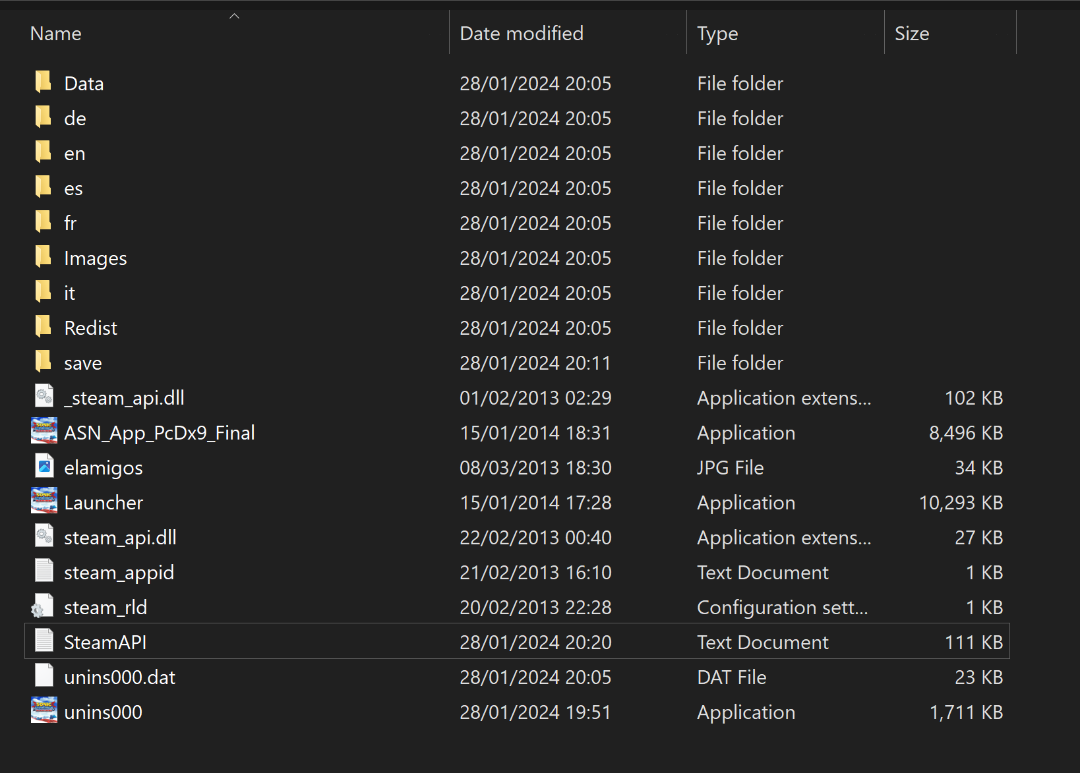
OK, the game still crashed if I try to create a save file, buuut, if I continue without saving I can get in game and I can see that Ryo is there, so that's worked. @stuart2773 can you show me what the path to your save file looks like please? I'm wondering if I just manually create a folder with the right ID and put the save file bin in it it might just work that way... the path to my old one looked like this.
C:\ProgramData\Steam\RLD!\212480\storageJust, FYI, this is what my folder with the files transferred across looks like. There's some additional files in there that aren't in my old version. Do any of these extra files need to go anywhere else?
0 -
Hrrrm, first try at getting this working has been unsuccessful. I saved it to the default location on the C drive it wants to go on (my other version's on a backup drive). Microsoft Defender tried deleting the Steam API, but I undid that and made an exception for the folder to stop it doing it again. Swapped all the bits from the ZIP into the same folder with the EXE. Initially me double clicking on it was doing nothing, but right clicking and run as administrator got it up and running, but when it got to the 'create new save file' bit the game crashed. I deleted my old Save file folder in case that was causing an issue, but same thing happened. Just trying again with another installation of the ISO to my back-up drive instead of C
0 -
Bam! Amazeballs! Downloading as we speak, thank you! Did you just manage to find this today with a bit of Google-ing? I've been searching high and low for it with no joy at all.
1 -
Cheers. The Afterburner course is just one of the regular stages in the base game. I can't recall off the top of my head if it's instantly playable or if you need to unlock it, but if that's a screenshot from your game, you should have every stage in the game unlocked if you've got all those characters.
0 -
Hey, would anyone be wiling to share (or know where I could 'acquire') a version of this game that includes the Ryo Hazuki DLC character included, for PC please? I legitimately bought the game and Outrun/Metal Sonic DLC on PS3 when it first very came out and 100% unlocked all the characters, but I also ended up downloading a dodgy free copy of the PC game quite some time after this after I found out it was 60fps and higher res and also found somewhere to get hold of the Outrun/Metal Sonic DLC again too. I'd really like to get my hands on that Ryo Hazuki DLC character as well though, but owing to the dodgy nature of the PC version I've got, I can't just load up STEAM and buy it on there (and as the game is 12 years old now, I don't feel bad about enquiring about this DLC here). My Google searching so far has been unsuccessful, found several sites that say they've got a complete package with all the DLC included, but once downloaded it turns out to only be the base game, hence why I was wondering if one of you lovely people might be able to help a brother out here with a share? Cheers.
1 -
Howdy, I had to update my operating system recently with a full destructive reinstall (from Win 7 to 10), so I've been in the process of slowly getting my games up and running again. One I'm having trouble with is AB Climax. I can recall this being a pain-in-the-arse to get working the first time around and I think I could only ever get it to work windowed, but this time it's not working either full screen or windowed. I'm using the 1080p patch, but the default one doesn't work either. I've tried running TP as Administrator just in case that helps, but no. The game looks like it's about to open (see screenshot) but says something about an 'ack SYNC error' and then just closes down again. Is there something really obvious I'm missing here? My GPU's an NVIDIA and non of my hardware's changed between the OS updates, so presumably I should have all the right patches and stuff,.
FWIW, if I can't get it running, I'm not too bothered as I've still got the game on PS3, so I'm not going to invest heaps of time into this... would just be nice to get it running on my PC again too.
0 -
@mamefan2018 Nice one geezer! That build's sorted it out for me, thanks for the help!
Edited: And just got Monster Ride working too, thanks for all the work you put in with all the codes. Bonkers to be playing F-Zero AX Monster Ride on my ancient PC 😵
0 -
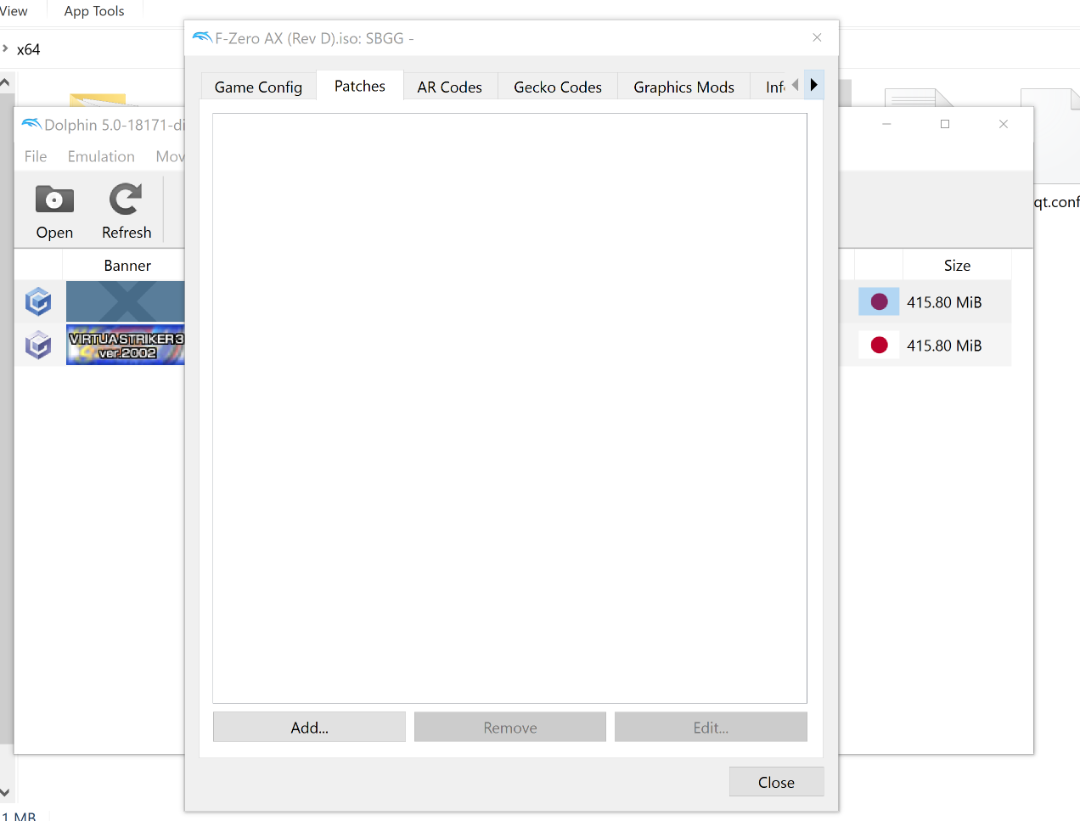
Edit: NVM - I tried an earlier build someone else linked to further back in the thread and it's working now (phew). Looks like the newest builds have got some issues. I'm still interested in finding out what the patch codes are for the D and E ISOs so I can manually add them in, if anyone could share them with me please.
(original post)
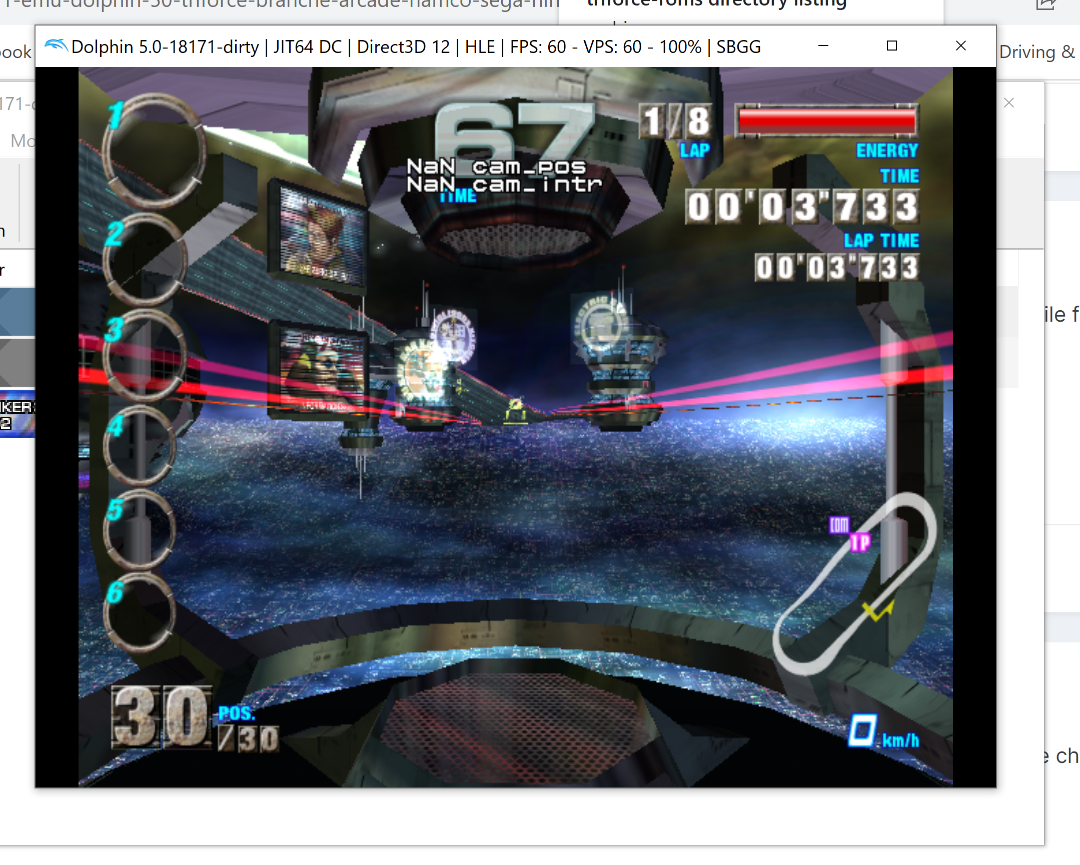
Okay, going back further in the thread I found a code to patch the revision C ISO, which I did and was finally able to get in game properly - but the graphics are absolutely fucked once I do, it looks like the old buggy Triforce build that ran AX about 10 years ago. I can navigate through the menus OK, but once in game proper the controls do nothing. I tried running in Direct 3D and OpenGL and they both look the same. Uggh, this game's proving to be a real ballache to get working properly... Any help on this gratefully received!
(apologies for the double post)
0 -
On 5/11/2023 at 7:36 AM, CARPnadamas said:
Hello..to facilitate your work here I leave you to download the games you are missing..you just have to change the extension from .bin to .iso
https://archive.org/download/triforce-roms/Extracted Disc Images (Decrypted)/Howdy all, I'm a bit late to this party as I've only just, in the last few days, upgraded from Windows 7 to windows 10.
I've obtained the F-Zero AX D & E BIN files from the above link and converted them to ISOs. There's no tick box option in the 'patch' tab to bypass the 'motor initialising' screen on either and I keep getting stuck on it. I thought I read somewhere else that the D and E ISOs were pre-patched? I've looked back through the thread to see if there's something I need to do to manually add the patches in myself but I can't find anything (I must admit I haven't gone through every single page - this thread's bloody huge!).
Can someone tell me what I need to do to get past this bloody 'motor initialising' screen please!
Edited: The original link in this thread to download the emulator doesn't work anymore BTW, I got mine directly from Crediar's Github page. I don't know if that makes any difference or not?
https://crediar.dev/crediar/tools/-/blob/main/dolphin/dolphin_tri_x64.rar
0 -
Ahhhh, nice. I've been meaning to look into how to get the Switch tunes into Cannonball, but if you've already done it that's awesome.
1 -
Intel core i5-2310 @2.90GHz - 8 GB
NVIDIA GeForce GTX 960 - 2 GB. Great back in the day, but over 10 years old now, (GPU's a few years younger). Still using good old Windows 7 Home Premium.
I've never been bothered about trying rpcs3 before - I'm just a huge Deadstorm Pirates fan is all and never ever saw the Special Edition in the arcade, hence why I wanted to give it a whirl. I'm accepting of the low frame rate I'm obviously going to get, it is what it is and I'm happy playing it in slow-mo. It'd just be nice if I could get through both levels without the controls suddenly giving up the ghost halfway though.
I wonder if the dual monitor set-up I'm using might be what's causing the game to lose focus if my mouse cursor goes too far to the left? Kind of weird though, if that is the case, that just clicking back into the game doesn't fix it.
0




.jpg.7e1e90e32434551cbe86b74046652b67.jpg)
[PC PORT] Hydro Thunder (Midway)
dans ROMS & ISO
Posté(e)
If only there were a helpful video that talked about the pros and cons of the two different versions... A video that the actual creator of Hydro Thunder said was the most comprehensive review and analysis of the Hydro games ever!