
nanometrovovo2
-
Compteur de contenus
162 -
Inscription
-
Dernière visite
-
Jours gagnés
18
Tout ce qui a été posté par nanometrovovo2
-

[Arcade PC] Toukyuu Oukoku Gashaaaan (Konami)
nanometrovovo2 a répondu à un(e) sujet de TheKitBoi dans ARCADE PC DUMP LOADER
Hyperspin theme + video with crosshair + bezel AHK to automatically press the "Run Game" button in Launcher (1920x1080) run.ahk -
I Am Looking For The Kf Sky Stage (Taito) ?
nanometrovovo2 a répondu à un(e) sujet de Pee Wee dans ROMS & ISO
Weird, you have to create an account and login before pressing the link. -
I Am Looking For The Kf Sky Stage (Taito) ?
nanometrovovo2 a répondu à un(e) sujet de Pee Wee dans ROMS & ISO
https://archive.org/download/TeknoparrotGamesFull/KOF SkyStage v1.0.7z This version works correctly for me in TP and rotation+bezel is included through CRTGeom -
[Arcade PC] Heavy Gear II (Global VR)
nanometrovovo2 a répondu à un(e) sujet de Maabuss dans ARCADE PC DUMP LOADER
Thanks @Maabuss really interesting release. I'd like to add this machine to Global VR system. I have tested but no idea on how to run the game. Is the executable HGX.exe? It doesn't do anything when clic. Would you be so kind to teach us? I have tried to run with compatibility, drive C and so. -
[Arcade PC] Adrenaline Amusements Dumps
nanometrovovo2 a répondu à un(e) sujet de bigdenny dans ARCADE PC DUMP LOADER
Same issue here. I have tried the same as you but it doesn't work -
Can someone explain me how to configure the controls for Otomedius? In my case the game is working with keyboard (left-right-up-down) and x/c to shot. In my gamepad only works button A to shoot ingame. I run the game with gameloader ALL RH. I always have this issue. I achieved get it work with rocketlauncher and joy2key but after a reinstall win10, the issue is back and joy2key doesn't work after triple config check. Is there anyway to permanently fix this? According with djexpert comment it is necesary to edit GGG.o9tuff.config (I assume I have 2007 version since key.config is not in the folder). I tried to understand Keyboard emulation inside Gameloader but I don't understand the relation between gamepad, keyboard, the hex codes in GGG.o9tuff.config and the codes that generate the scan code tool. Completely lost. Please, if someone can explain
-
[Arcade PC] Lethal Enforcers 3 (Konami)
nanometrovovo2 a répondu à un(e) sujet de powergyser dans ARCADE PC DUMP LOADER
Yes, I only used the first link, the first partition. -
[Arcade PC] Lethal Enforcers 3 (Konami)
nanometrovovo2 a répondu à un(e) sujet de powergyser dans ARCADE PC DUMP LOADER
Same thing here, sometimes starts in 4:3 and sometimes 16:9. When starts in 4:3 the intro video is in black in my case but the game works correclty. Perfectly playable, thanks a lot for the instructions and for your awesome work. Media for Hyperspin here: https://hyperspin-fe.com/files/file/24855-lethal-enforcers-3/ -
[Emu] RPCS3 (Arcade Fork) - Project OMED (System 357 / 369 / 359)
nanometrovovo2 a répondu à un(e) sujet de Franco23444 dans EMULATEUR NEWS
Sure, this is an example for Deadstorm: -
[Emu] RPCS3 (Arcade Fork) - Project OMED (System 357 / 369 / 359)
nanometrovovo2 a répondu à un(e) sujet de Franco23444 dans EMULATEUR NEWS
My audio flickers as well. I tried to decrease audio buffer to min and stretch to max but barely changes I don't know if it is any other way to improve this -
[Emu] RPCS3 (Arcade Fork) - Project OMED (System 357 / 369 / 359)
nanometrovovo2 a répondu à un(e) sujet de Franco23444 dans EMULATEUR NEWS
Do you have the ahk script that makes the wheel move? Does it work with DS simultaneously? If someone can share, I'm just cuirous. -
[DUMPS] Dumps disponibles en miroir / Mirror: Many dumps availables!
nanometrovovo2 a répondu à un(e) sujet de 7zxkv dans ARCADE PC DUMP LOADER
Can I ask here if anyone knows where to locate dark escape 4d and deadstorm pirates? I have searched all over the internet and I see videos posted on youtube but I can't find anything. Users are writing private messages to each other but it seems that nobody knows and they do not appear on page 1 of this thread. Sorry if my question is innapropiate here. I don't want to be banned, I love this community. -
[Emu] RPCS3 (Arcade Fork) - Project OMED (System 357 / 369 / 359)
nanometrovovo2 a répondu à un(e) sujet de Franco23444 dans EMULATEUR NEWS
Sailor Zombie 19-1 system error fixed. Thanks a lot for your help!!! -
[Emu] RPCS3 (Arcade Fork) - Project OMED (System 357 / 369 / 359)
nanometrovovo2 a répondu à un(e) sujet de Franco23444 dans EMULATEUR NEWS
Same issue here with Sailor Zombie: 19-1 system error I have tried with firmware 4.89, 4.90, 3.60, 2.51 but no luck. I understand this is not the problem. -
[Emu] RPCS3 (Arcade Fork) - Project OMED (System 357 / 369 / 359)
nanometrovovo2 a répondu à un(e) sujet de Franco23444 dans EMULATEUR NEWS
Thanks for this @Franco23444 This is completely awesome -
[Arcade PC] Storm Racer G (WAHLAP PC Based/Sega RingEdge 2)
nanometrovovo2 a répondu à un(e) sujet de kritbualad dans ARCADE PC DUMP LOADER
It is attached in the thread idMacX + J/Rconfig + JVSemu + SpiceTools + BemaniTools + SegaTools + etc. https://www.emuline.org/applications/core/interface/file/attachment.php?id=16572&key=7f29b6d5a3b63e75c104ae13402a8a2a -
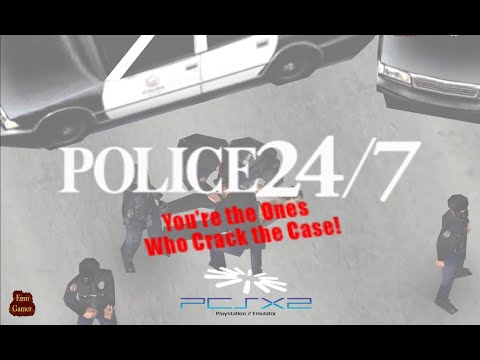
Police 24/7 (PS2) - Full Playthrough + mouse support (PCSX2 1.7)
nanometrovovo2 a commenté un(e) video de shadoweez dans Test Emulator Game
 Thanks lot @shadoweez Silent Scope collection is working as well
 -
[Emu] PCSX2 v2.6.3 / 2.7.XX DEV - émulateur PS2 sur PC (HD/4K)
nanometrovovo2 a répondu à un(e) sujet de Fox dans EMULATEUR NEWS
I have tested PCSX2 1.7 with mouse support the following games and all of them are working with mouse: -Police 24/7 -Silent Scope -Silent Scope 2 -Silent Scope 3 But the gameplay with aimtrak is impossible, the movements are sooooo sensitive and it is unplayable. Does someone have corrected this? I tried to configure mouse sensivity in emulator with no effect. I tried to configure Guncon2 instead mouse HID and the cursor does not move ingame. I tried with an ahk that reduces mouse sensivity and no luck. Well, at least we can play with mouse -
Police 24/7 (PS2) - Full Playthrough + mouse support (PCSX2 1.7)
nanometrovovo2 a commenté un(e) video de shadoweez dans Test Emulator Game
WOW man, could you please explain how to configure PCSX2 1.7 with mouse support for this game? Or where to find the info? I was behind this one some time ago -
[Emu] Dolphin TriForce (official & custom): Branche Arcade (Namco / Sega / Nintendo / GC / Wii)
nanometrovovo2 a répondu à un(e) sujet de 7zxkv dans EMULATEUR NEWS
I had to solve it by using the PCLauncher module and by creating bat files and put them in roms folder. The bat file have to call each game this way (change the paths in the example by yours): "z:\hyperspin\Emulators\Sega Triforce\Dolphin.exe" -b -e "z:\hyperspin\roms\Sega Triforce\F-Zero AX (Japan) (Rev E).iso" Then configure your RocketLaucher -> PCLauncher -> edit System specific settings -> Add your games and set the path to .bat: -
idMacX + J/Rconfig + JVSemu + SpiceTools + BemaniTools + SegaTools + etc.
nanometrovovo2 a répondu à un(e) sujet de 7zxkv dans ARCADE PC DUMP LOADER
Is it possible to run Sega DiRT Showdown Arcade with RConfig? I tried but it doesn't appear in the config list. This ringedge2 game looks really nice -
🤔 ok I dropped my SB2 here aHR0cHM6Ly9tZWdhLm56L2ZpbGUvM1dCVHlLREMjbWhPMEtfT1RiaHNjSGlnN3JQekd2QUJEM1ZNQWgxb2hMWDdtajN1UWY1QQ== The link is encoded in Base64, I don't want to be banned, I love this community It is working correctly, maybe we have different dumps Please, try to download and let us know
-
Maybe reset key is mapped to same used control and it resets. If you cannot unmap the key, you have to delete monitor_input.bin and monitor_misc.bin and start config again
-
This game is awesome. Let me drop an ahk that change the region to Japan automatically for you to integrate in Rocketlauncher I know my code is very poor but It what I could make with my knowledge. To Japaneese: Run intl.cpl sleep 100 WinActivate Región sleep 100 SendInput, j sleep 100 Click 257, 523 sleep 100 Click 275, 525 Back To Spanish: Run intl.cpl sleep 100 WinActivate Región sleep 100 SendInput, e SendInput, e SendInput, e SendInput, e SendInput, e SendInput, e SendInput, e SendInput, e SendInput, e SendInput, e SendInput, e SendInput, e SendInput, e SendInput, e SendInput, e SendInput, e sleep 100 Click 257, 523 sleep 100 Click 275, 525 If you want to chage to your language, you have to modify the second one. I hope help to avoid this step to play this cool game spa.ahk jap.ahk
-
[Emu] Dolphin TriForce (official & custom): Branche Arcade (Namco / Sega / Nintendo / GC / Wii)
nanometrovovo2 a répondu à un(e) sujet de 7zxkv dans EMULATEUR NEWS
I'm late in this topic but really surprised with this new version from Crediar. I dug into all the pages of this thread and now I have all the games working in my Hyperspin/Rocketlauncher. I wanted to really thank to @mamefan2018 and @hippopippo the constant updated info. Let me collaborate by dropping here the Hyperspin theme I had to make for Gekitou Pro Yakyuu Mizushima Shinji All Stars vs. Pro Yakyuu (Rev C) Database entry: <game name="Gekitou Pro Yakyuu Mizushima Shinji All Stars vs. Pro Yakyuu (Rev C)" index="" image=""> <description>Gekitou Pro Yakyuu Mizushima Shinji All Stars vs. Pro Yakyuu (Rev C)</description> <cloneof></cloneof> <crc></crc> <manufacturer>Sega / WOW Entertainment</manufacturer> <year>2003</year> <genre>Sports</genre> <rating>AAMA - Green (Suitable For All Ages)</rating> <enabled>Yes</enabled> </game> Gekitou Pro Yakyuu Mizushima Shinji All Stars vs. Pro Yakyuu (Rev C).zip Gekitou Pro Yakyuu Mizushima Shinji All Stars vs. Pro Yakyuu (Rev C).mp4 Thanks again