


nedpepe
-
Compteur de contenus
12 -
Inscription
-
Dernière visite
Messages posté(e)s par nedpepe
-
-
2 hours ago, hippopippo said:
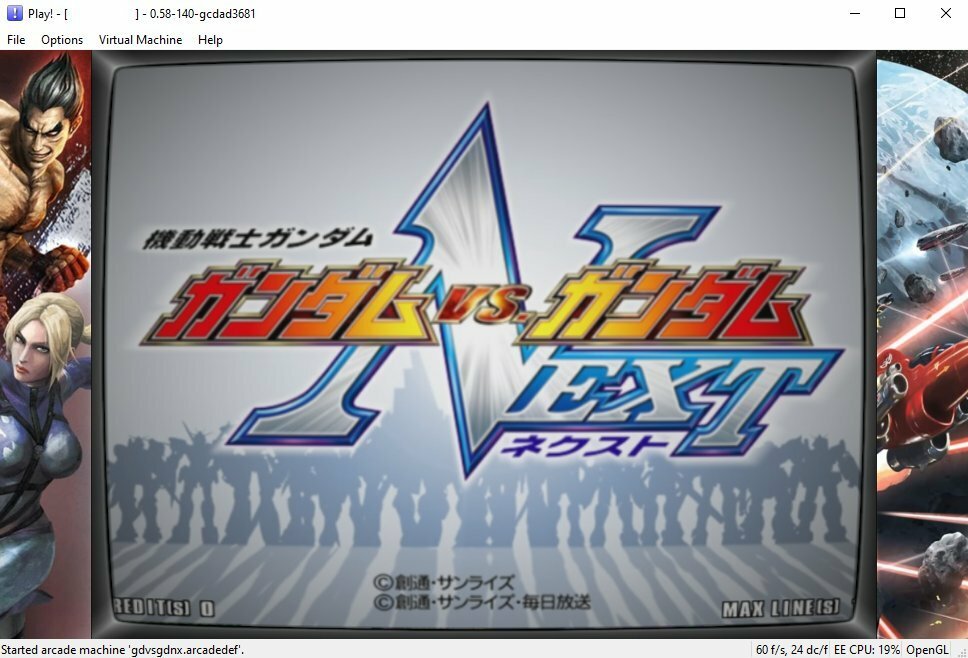
Hmm, for GvsG Next I get a system 256 error, says system is set to 246.
0 -
3 hours ago, EvilRob said:
Tekken Tag 2 Unlimited work perfect in rpcs3, but I don't understand why it's not released to the public yet, it's really strange...
It is available publicly and easy to find. The challenge is managing to run it as it needs some patch or dongle dump. I have the same version that Franco has but I can't manage to run it (I get 19-2 System Error).
0 -
9 minutes ago, PolybiusExtreme said:
Where can i find the F-Zero AX isos? Do i have to convert the chds to isos?
archive.org is your best friend, just google "triforce roms archive.org". You'll find some options there, make sure you download decrypted images and rename .bin to .iso for Dolphin to recognize. I don't think CHDs are supported. Pro tip: archive.org has DMCA exception so you'll find most ROMS (and Teknoparrot games) archived there.
1 -
4 hours ago, nokaktsawa said:
Follow this guide:
Tried a few VPN's, none of them work, file does not exist.
But maybe this is just a misunderstandig.
I'm talking about the link you posted on the 9th january. Was the TC4 hack file uploaded there? What kind of hack was that? A build specifically built for TC4?
Thanks.
Yeh, the files seems to have been removed from that link, I get the same error. To be honest there is no point in running TC4 when gun/mouse emulation has not been implemented, you just see some cutscenes and then get stuck with no gun control. With the latest build of the emulator JPD has implemented a lot of fixes and I am able to run most of the 2x6 games now (I made my own arcadedefs); adding mouse/gun emulation would be the next best thing for Play.
1 -
1 hour ago, customizer2 said:
Hello,
I´m trying Virtua Striker 4 Ver.2006 (Japan, Rev D) on this new TriForce Dolphin 5.0-1871 I downloaded from here.
I followed all the instructions and my configuration of Dolphin is exactly the same as it is stated here, I also unchecked "use panic handlers" as you mention.
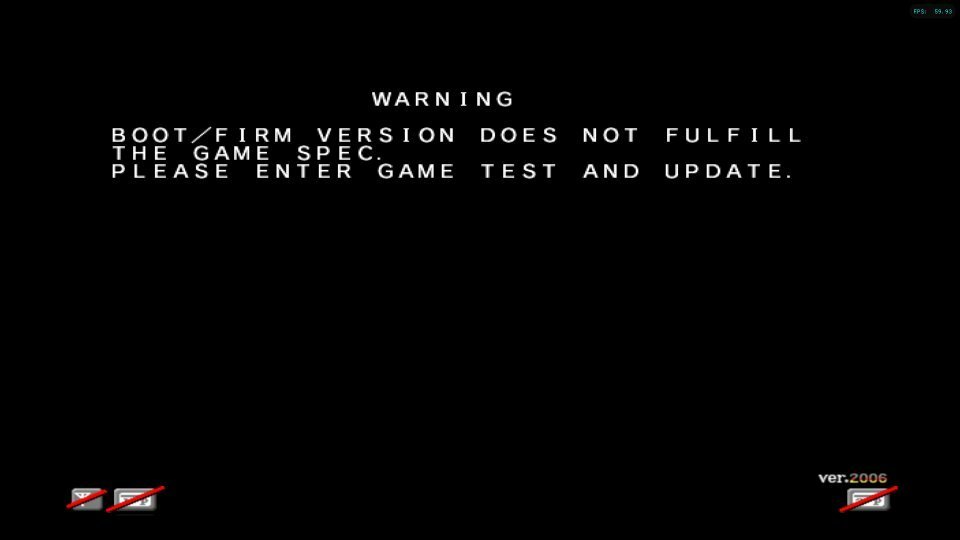
I am getting a black error screen at the start, saying "BOOT/FIRM VERSION DOES NOT FULFILL THE GAME SPEC.
PLEASE ENTER GAME TEST AND UPDATE". I attach a screenshot of the error.I entered "Test Mode" using two buttons of the gamepad for "service" and "Test", calibrated the gamepad, restarted the game, but the error is still there.
Is there any way to bypass this black screen and enter ingame, or fix the issue ?
I must be missing something. In the game properties, the tab "Patches" is now empty, there are no patches available.
The game worked fine in Brodostar version of Dolphin I was previously using (brodostar-4.0-310.1-x64), and the start screen on that version asked me to calibrate the controls, and afterwards I could enter ingame.
Any help will be much appreciated !


I got that too on some of the Virtua Striker 4 dumps. The one that worked for me were the Export ones and not the regional ones (JP, Asia). One other thing I learned was that if I need to swap the controls (L/R,U/D) I need to do it on the analog stick and not the Dpad. Took me a while to figure out why I wasn't reversing the directions.
1 -
Is Arccabview compatible with frontends (like Bigbox) for launching emulators? I don't think you can pass the ROM parameters to the arccabview_launcher, or can you?
0 -
8 hours ago, Solmer said:
Well, then a completely logical question - what do we need to do in order to make it work??? ... ... ... ... ... ........
I believe you need a dump of the USB dongle as well to be installed in the dev_usb VFS. That part may be the missing key; unless there is a modded dump that bypasses this. I am stuck too
 0
0 -
7 hours ago, nokaktsawa said:
Thank you very much @hippopippo!
I tried to boot time crisis 3 and time crisis 4 but I got this error: Invalid ISO9660 Volume Descriptor.
What did I do wrong?
Also, Cobra the arcade loads fine but it doesn't display even the intro.
You get that ISO9660 error when you try to mount a CD image as HDD or vice versa. Either your arcadedef file is wrong or your CHD is incorrect. Start with the arcadef files from github (automatically installed on recent versions of Play). If you used chdman to convert the CHD files, pay attention to the command line parameters. There are a couple of batch files in this topic that help with that.
0 -
Great progress being made on this fork of the project. I am curious about the Vulkan vs OpenGL options. While I can get scaling up to 4K with OpenGL (but suffer from color issues, artefacts and fog), I cannot get any scaling with Vulkan. In fact with Vulkan I seem to get 0.5X scale as the resolution is worse than OpenGL at 1X scaling. Is this the same for everyone?
0 -
5 hours ago, spot said:
Can someone upload working roms?
it would be fun to follow progress.
There is a mega link in the thread that still works, it only has the CHD files though. However, you can get both the roms and the chd files from anywhere on the net that has the MAME roms. If you already have them in your MAME collection then copy them over as per the described file structure and conver the CHDs to the support format. There is an earlier post with a link to a batch file for automic conversion. Pretty straighforward once you got the tools. For the arcadedefs just stick to the ones installed with each version of the emulator (not all games are supported yet); with the latest versions of the emulator you don't need to source arcadedefs separately. Good luck.
0 -
Salut à tous. Hi all. Fan of classic and arcade games here. Looking to learn from you all and perhaps contribute if I can.
0
[Emu] Namco System 147 / 148 / 246 / 256 Emulation on PCSX2x6 and Play!
dans EMULATEUR NEWS
Posté(e)
Thanks @ycyleo GNXLOAD0 fixed it!